Wholesale / B2B Pricing
Custom price lists for wholesale buyers and B2B partners.
Sell to retailers, distributors, and bulk buyers without maintaining a separate store. Discount Prime lets you create dedicated wholesale tiers, assign them to tagged customers, and enforce minimum order rules so B2B sales stay profitable.
What you get
Customer-specific price lists
Tag buyers and serve them pre-negotiated rates automatically at checkout.
Tiered wholesale brackets
Volume breaks for bulk orders - the more they buy, the better the unit price.
Minimum order enforcement
Gate wholesale rates behind cart minimums so small orders do not slip through at B2B prices.
How it works
- 1Create a wholesale pricing campaign and define the tiers or flat discount.
- 2Tag the customers or customer groups that qualify.
- 3Discount Prime applies the correct price list automatically when they log in and shop.
Flexible discount configuration
Set up wholesale tiers exactly how you need them
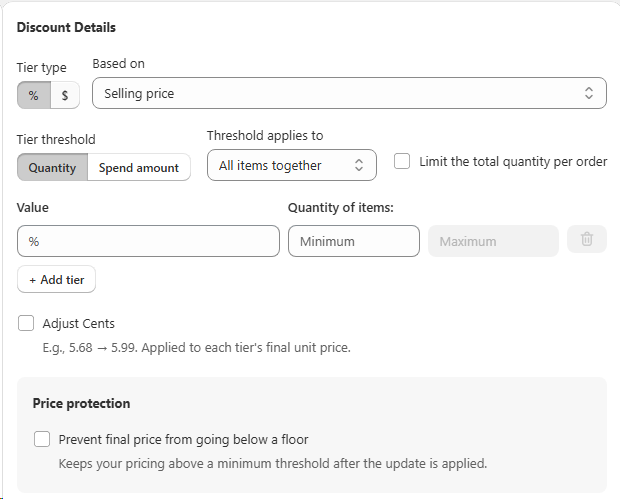
Discount Prime gives you full control over how wholesale and B2B discounts are calculated. Choose between percentage or fixed-amount discounts, base them on selling price or cost, and decide whether the threshold is measured by quantity or spend amount. You can even set minimum and maximum quantity limits per tier and protect your margin with a price floor.
- • Tier type: percentage (%) or fixed amount ($) off each unit.
- • Threshold: trigger by quantity bought or total spend amount.
- • Min / Max quantities: cap each tier so small orders don't get B2B rates and huge orders don't destroy margin.
- • Price protection: set a floor so the final unit price never drops below your minimum.
Profit-based discounts
Discount on margin, not just price
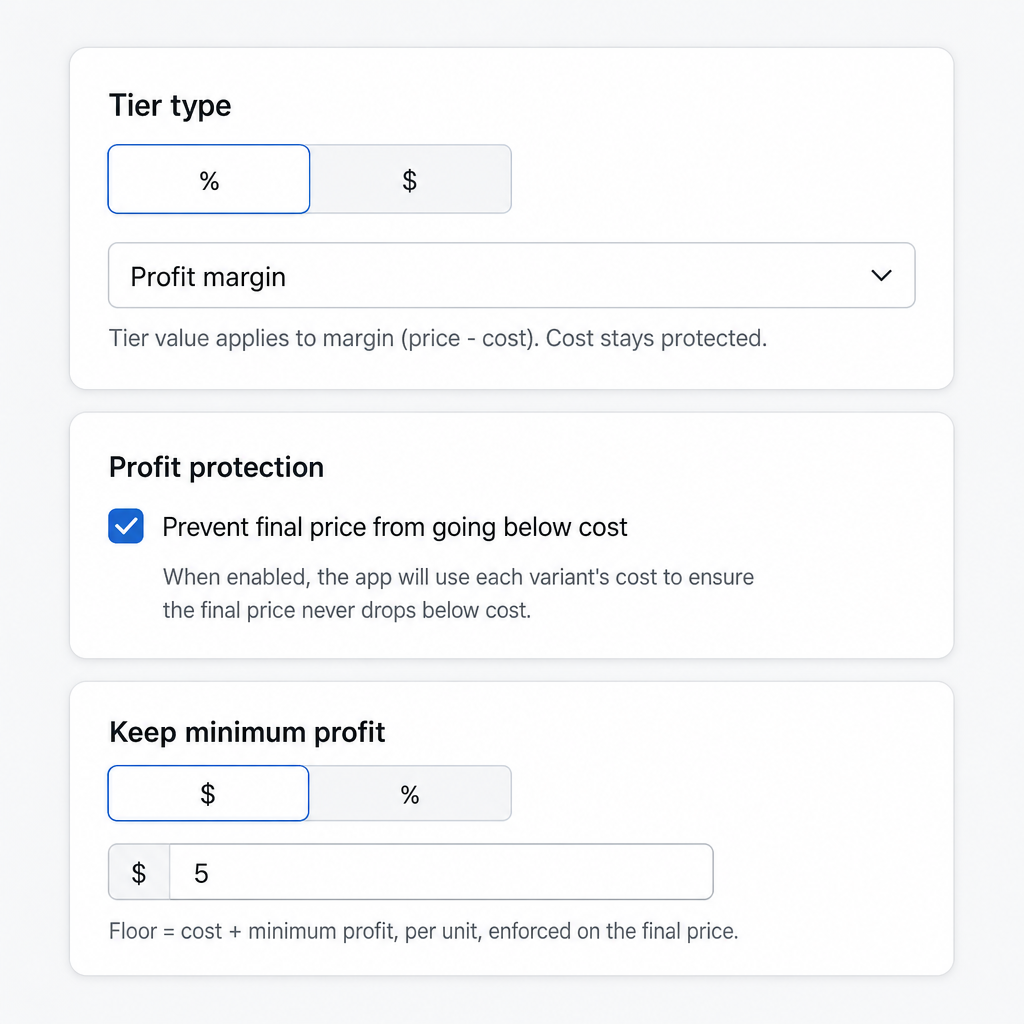
Instead of discounting the full selling price, you can apply tier values to profit margin (price minus cost). This means your cost stays protected and the discount only eats into the margin you have already built in. It is ideal for B2B and wholesale catalogs where you still need to cover your base cost on every unit.
- • Profit margin mode: tier value applies to (price - cost), not the full price.
- • Cost stays protected: the discount never touches your base cost per item.
- • Flexible tier type: choose percentage (%) or fixed amount ($) off the margin.
Profit protection
Keep final price above cost and enforce a minimum profit
Even with aggressive wholesale tiers, you can guard your bottom line. Enable profit protection to prevent the final unit price from ever dropping below cost, and set a minimum profit floor so every sale still earns what you need.
- • Prevent below-cost sales: uses each variant's cost from Shopify "Cost per item" and enforces it at checkout for every tier.
- • Keep minimum profit: define a fixed ($) or percentage (%) profit floor per unit.
- • Enforced automatically: the floor formula (cost + minimum profit) is applied to the final price at checkout.
Customer eligibility
Decide exactly who unlocks your wholesale rates
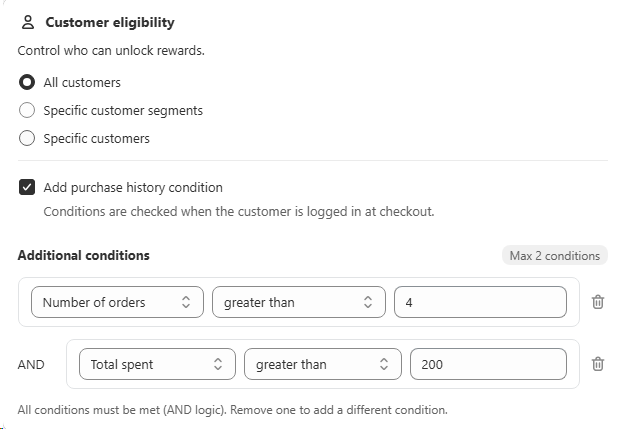
Wholesale and B2B pricing shouldn't be visible to everyone. Discount Prime lets you scope each campaign to all customers, specific customer segments, or a hand-picked list of individual customers. You can also layer in purchase-history conditions so loyal buyers automatically unlock better tiers.
- • All customers: open the wholesale tiers to everyone shopping the store.
- • Specific segments: target groups like VIP, retailers, or tagged B2B accounts.
- • Specific customers: pick exact accounts that should see the pricing.
- • Purchase history conditions: require things like number of orders or total spent (AND logic) and unlock rewards automatically at checkout.
Custom progress bar
Personalize a progress bar for every campaign
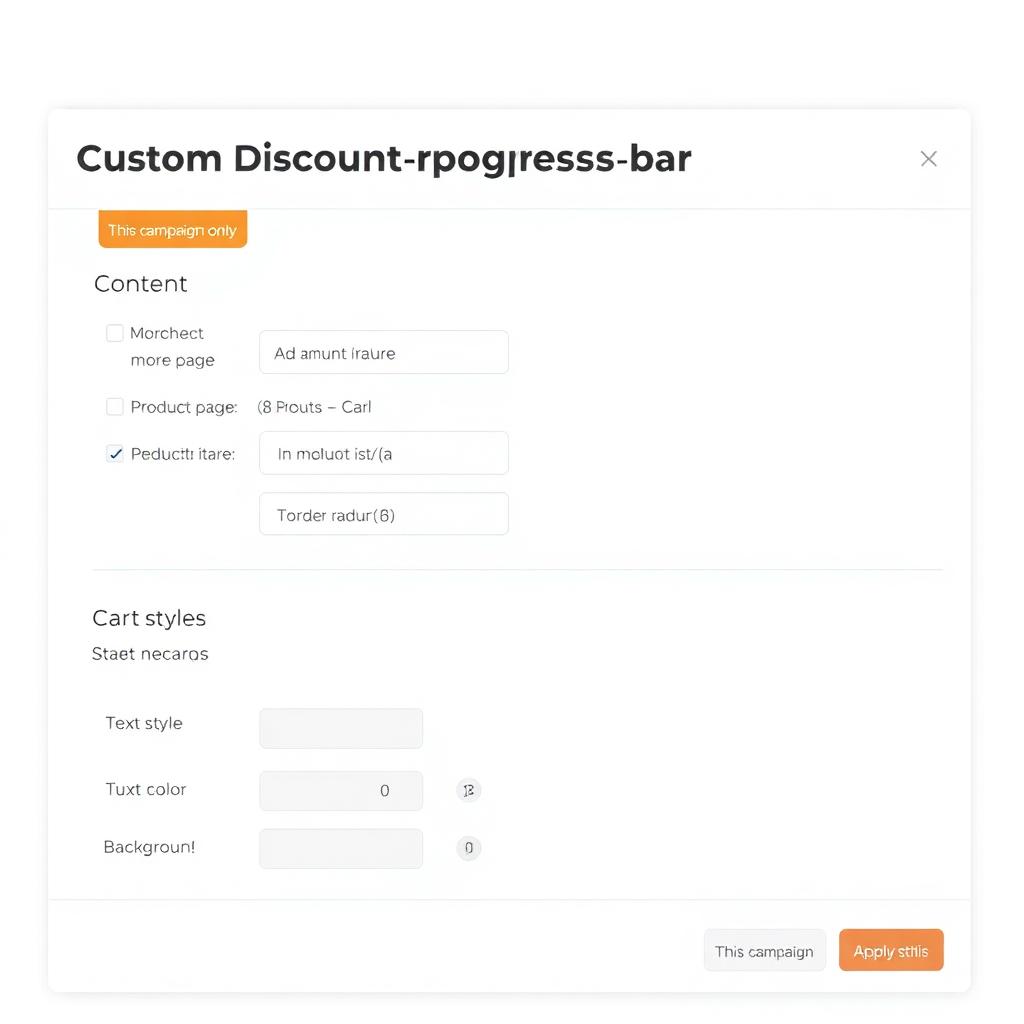
Give shoppers a visual nudge toward your wholesale tiers. Each campaign gets its own customizable progress bar that can appear on the product page and/or the cart page. You control every message, color, and style so it feels like a native part of your store.
- • Page placement: show the bar on product pages, cart pages, or both.
- • Dynamic messages: customize initial, in-progress, and threshold-reached text with {amount} and {discount} variables.
- • Card styling: set text size, border radius, text color, and background color to match your theme.
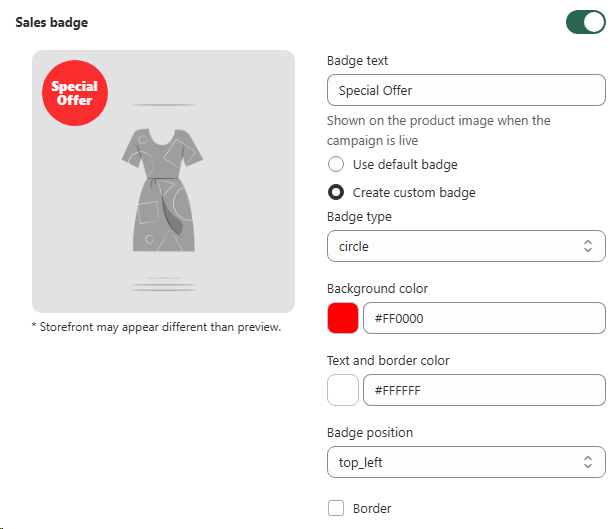
Sales badge
A custom badge for every wholesale campaign
Each wholesale and B2B campaign gets its own customizable sales badge. Decide whether to use the default badge or create a custom one, then set the text, shape, colors, and position so it fits your store's look perfectly.
- • Badge text: write your own message like "Wholesale Deal" or "B2B Special".
- • Shape and position: pick circle or other styles and place it top-left, top-right, and more.
- • Full color control: set background, text, and border colors to match your brand.
- • Per campaign: every wholesale campaign can have its own unique badge design.
Product targeting
Use metafields to choose which products join this campaign
If you want to target products by metafield instead of collections, Product Metafield Sections let you pick variants by any metafield condition so the right catalog slice is included automatically.
Learn about Product Metafield SectionsBest for
Stores selling to retailers, distributors, or B2B buyers.