Product Bundles
One discount for buying the whole set: outfits, kits and "pick any 3" deals.
Available on Prime and Ultimate. Options marked Ultimate require Ultimate.
Define a set as slots (for example one jacket, one shirt, one pair of shoes). When every required slot is filled, the reward applies to exactly those items, automatically. A bundle block on the product page shows the slots with one "Add all to cart" button, and an optional cart progress bar tells shoppers what is still missing.
Watch it in actionCreate this campaign
Start from the Product Bundle card.
- 1Open Discount Prime in your Shopify admin and go to Templates.
- 2Scroll to the Bundles, Cross-sell, Gifts & Upsell group.
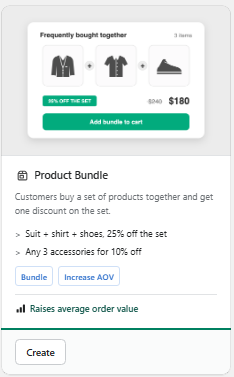
- 3Click Create on the Product Bundle card shown here.
- 4Fill in the campaign settings and publish it. This guide walks you through every block below.
Prefer browsing every recipe first? See the Templates & Use Cases feature.
Watch it in action
Product Bundles walkthrough
Watch the full walkthrough on the Discount Prime YouTube channel.
Discount Prime YouTubeWhat you get
Slots, not just products
Each slot is a pool: specific products, or a whole collection, tag, vendor or product type, plus a required quantity.
Five reward types
Percent off the set, amount off the set, one fixed set price, cheapest item free, or a free gift.
Storefront widget included
A "complete the set" block on the product page and a progress bar in the cart, on any Online Store 2.0 theme.
How it works
- 1Build the set: add the slots and the quantity each one needs.
- 2Pick the reward: percent, amount, set price, cheapest free or a gift.
- 3Choose where to show it - Discount Prime handles the widget and the discount.
See it in action
See the campaign with our team.
Book a walkthroughBundle contents
Build the set from slots.
Each slot is a pool of products plus the quantity it needs. One unit fills one slot, so the same product can't be counted twice.
- Specific products or variants (Prime)
- Collection, product tag, vendor or product type, including future additions (Ultimate)
- Optional slots for accessories (Ultimate)
- Required quantity per slot
Reward
Reward the whole set, not single items.
The reward only pays out when every required slot is filled.
- % off the set or $ off the set
- Fixed set price: the whole set for one price, the saving is split across the lines
- Cheapest item free
- Free gift: up to 3 gift products added at $0 when the set is complete
Apply
Once per order, or repeat per set.
Decide how many times the reward can be claimed in one cart.
- Once per order, or repeat for every complete set
- Optional maximum number of sets
- Set ladder (Ultimate): the discount grows with each extra set, for example 10% for the first sets, 15% from the third
Storefront widget
A "complete the set" block on the product page.
Shoppers see the slots, the total, the saving and one "Add all to cart" button. A cart progress bar shows what is still missing.
- Product page block, cart progress, both, or discount only
- Fully editable texts and colors in the Bundle widget settings
- Works with the theme's own cart, no theme editing
Profit protection and combos
Protect your margin and publish the set as one product.
Keep a bundle from selling below the margin you set, and optionally publish it as a single combo product.
- Profit protection: a minimum margin, with "reduce the discount" when below
- Combine rules: best of, or stack with other discounts
- Customer eligibility by segment (Ultimate)
- Publish as a product / combo (Ultimate)
Best for
Brands selling kits, outfits and assortments: fashion "complete the look", starter kits, "any 3" deals, wholesale case packs. Lifts average order value without a code.