Cross-sell
The right add-on, at the right moment, with a discount on the add-on only.
Available on Prime and Ultimate. Options marked Ultimate require Ultimate.
Pick a trigger (what is in the cart), pick what to recommend, and choose the offer discount. The widget shows the add-ons on the product page, in the cart, or both, and discounts only the add-on, never the product that triggered it.
Watch it in actionCreate this campaign
Start from the Cross-sell card.
- 1Open Discount Prime in your Shopify admin and go to Templates.
- 2Scroll to the Bundles, Cross-sell, Gifts & Upsell group.
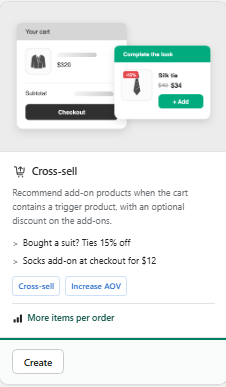
- 3Click Create on the Cross-sell card shown here.
- 4Fill in the campaign settings and publish it. This guide walks you through every block below.
Prefer browsing every recipe first? See the Templates & Use Cases feature.
Watch it in action
Cross-sell walkthrough
Watch the full walkthrough on the Discount Prime YouTube channel.
Discount Prime YouTubeWhat you get
Flexible triggers
Any product, specific products, a collection, tag, vendor or product type, with an optional minimum spend.
Three ways to pick offers
Manual picks (up to 6), a pool ranked by 90-day sales, or smart suggestions from your own orders (Ultimate).
Add-on discounts, with a cap
Percent off, amount off or a new price on the add-on only, with a maximum number of discounted units.
How it works
- 1Set the trigger: what has to be in the cart.
- 2Set the offer: which products to recommend and what discount they get.
- 3Choose the placement - Discount Prime shows the cards and applies the discount at checkout.
See it in action
See the campaign with our team.
Book a walkthroughTrigger
Decide what has to be in the cart.
The offer appears only when the trigger is met.
- Any product, specific products, or a collection, tag, vendor or product type
- Minimum quantity and optional minimum spend
- Several trigger rules per campaign
Offer
Choose what to recommend.
Pick the products yourself or let the pool and the smart mode do the work.
- Manual picks: up to 6 products
- Pool: a collection, tag, vendor or product type, ranked by 90-day units sold
- Smart suggestions from your own order history (Ultimate)
- Out-of-stock products are skipped automatically
Offer discount
Discount the add-on, not the whole cart.
The reward only touches the add-on units.
- No discount (recommendation only, you still get impressions and adds)
- % off, $ off, or a fixed new price per add-on unit
- Maximum discounted units, applied per add-on
- A price sanity check warns when an offer would sell below cost
Placement
Product page, cart, or both.
A "Frequently bought together" block on the product page and an add-on card in the cart.
- Cart card sits above the cart items, never floats on other pages
- An add-on that is already in the cart is not offered again
- Apply automatically, or only when added from the widget
- Editable texts and colors in the Cross-sell widget settings
Combine
Best of, or stack on top.
Choose whether the add-on discount competes with other discounts or stacks with them, for example a B2B reorder discount on top of wholesale pricing.
Best for
Accessories and "goes well with" products, checkout add-ons, sample packs, recommendations without a discount, and B2B reorder reminders.