Free Gift with Purchase
Spend $75, get a gift: with tiers, a progress bar and customer choice.
Available on Prime and Ultimate. Options marked Ultimate require Ultimate.
Set a spend threshold and pick the gift. When the cart qualifies, the gift is added at $0 automatically and removed again if the cart drops below the threshold. A progress bar or an unlock toast shows shoppers how close they are.
Watch it in actionCreate this campaign
Start from the Free Gift card.
- 1Open Discount Prime in your Shopify admin and go to Templates.
- 2Scroll to the Bundles, Cross-sell, Gifts & Upsell group.
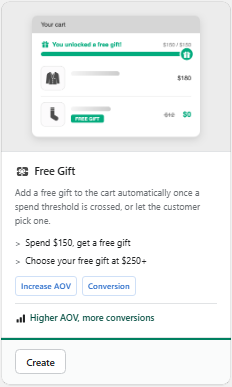
- 3Click Create on the Free Gift card shown here.
- 4Fill in the campaign settings and publish it. This guide walks you through every block below.
Prefer browsing every recipe first? See the Templates & Use Cases feature.
Watch it in action
Free Gift with Purchase walkthrough
Watch the full walkthrough on the Discount Prime YouTube channel.
Discount Prime YouTubeWhat you get
Spend tiers
One gift at $75, or a ladder: $75 keychain, $150 socks, $250 bottle (more than one tier is Ultimate).
Add automatically or let them choose
The gift is added for the customer, or they pick from up to 6 gifts (Ultimate).
Progress bar and toast included
A bar showing the distance to the next gift, a pop-up with undo when it unlocks, or no announcement at all.
How it works
- 1Set the qualifying purchase: all products or a scope, and the spend threshold.
- 2Add the gift tiers and the gifts.
- 3Choose the display - Discount Prime adds, removes and discounts the gift for you.
See it in action
See the campaign with our team.
Book a walkthroughQualifying purchase
Choose what counts toward the gift.
The threshold is measured on what the customer pays.
- All products, or only a collection, tag, vendor, type or product list
- Measured after other discounts, so a sale price can't unlock the gift by accident
- Gifts never count toward their own threshold
Gift tiers
One gift, or a ladder of better ones.
Each tier has its own threshold and gifts.
- Spend at least, per tier
- Add automatically, or Customer picks with a set number of picks (Ultimate)
- Up to 6 gift products per tier
- Out-of-stock gifts are hidden, and the campaign list warns you
Storefront display
Show the progress, or surprise them.
Pick how the unlock is announced.
- Progress bar: a persistent bar with the distance to the next gift
- Toast notification: a brief pop-up when the gift unlocks, with undo
- Silent: the gift just appears in the cart at $0
- On the cart and product pages the gift bar joins the shipping bar in one "next reward" card, so shoppers always see the closest goal
Safety rules
Built so the gift can't be abused.
The rules are fixed and checked again at checkout.
- The gift is always $0, never a discount on a paid item
- Removed automatically when the cart no longer qualifies
- Never added twice, even if the page reloads
Eligibility
Gifts for the customers you choose.
Limit a gift to a customer segment, for example a thank-you gift for wholesale accounts (Ultimate).
Best for
Lifting average order value past a line, moving customers up a spend ladder, thank-you gifts for loyal or wholesale accounts, and launches with a free sample.