9 Languages
Widgets that match your admin and your buyers' locales.
Every widget - progress bar, BOGO popup, tier widget, FAB - renders in the locale of the visiting shopper. The admin UI follows your Shopify admin language automatically.
What you get
9 languages out of the box
English, German, Spanish, French, Italian, Portuguese, Simplified Chinese, Traditional Chinese and Japanese - professionally translated.
Per-locale overrides
Tweak any string for any locale without touching code.
Storefront-aware
Widgets detect the shopper's locale, not just the admin's.
How it works
- 1Install Discount Prime - locales work immediately.
- 2Optionally override copy per-locale in the editor.
- 3Widgets pick the right language per visitor.
Pick a language, or let the shop decide
Override the widget language in Settings, or auto-detect from your Shopify default
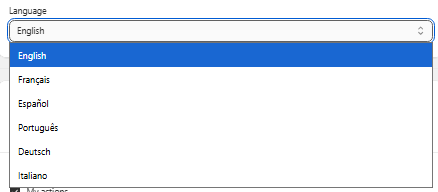
Open Settings → Language and pick the locale every Discount Prime widget should render in - English, French, Spanish, Portuguese, German, Italian, Simplified Chinese, Traditional Chinese or Japanese. Leave it on Auto and Discount Prime reads your Shopify store's default language and matches it automatically, so a French storefront shows French widgets without any extra work.
- • Manual override: force one of the 9 supported locales from Settings.
- • Auto-detect: falls back to the Shopify shop default language when no override is set.
- • Applies everywhere: BOGO popup, FAB, shipping bar, progress widgets and tier blocks all switch together.
Best for
Multi-market stores across Europe, Latin America and Asia.